Settings
Support
Need help, or want to tell us something? There are two ways to reach us: Support, for questions and help requests, and Feedback, for reporting a problem or sharing a suggestion.
Support
Open Support under the Setting tab. It's your help center and the home for any support tickets you have.
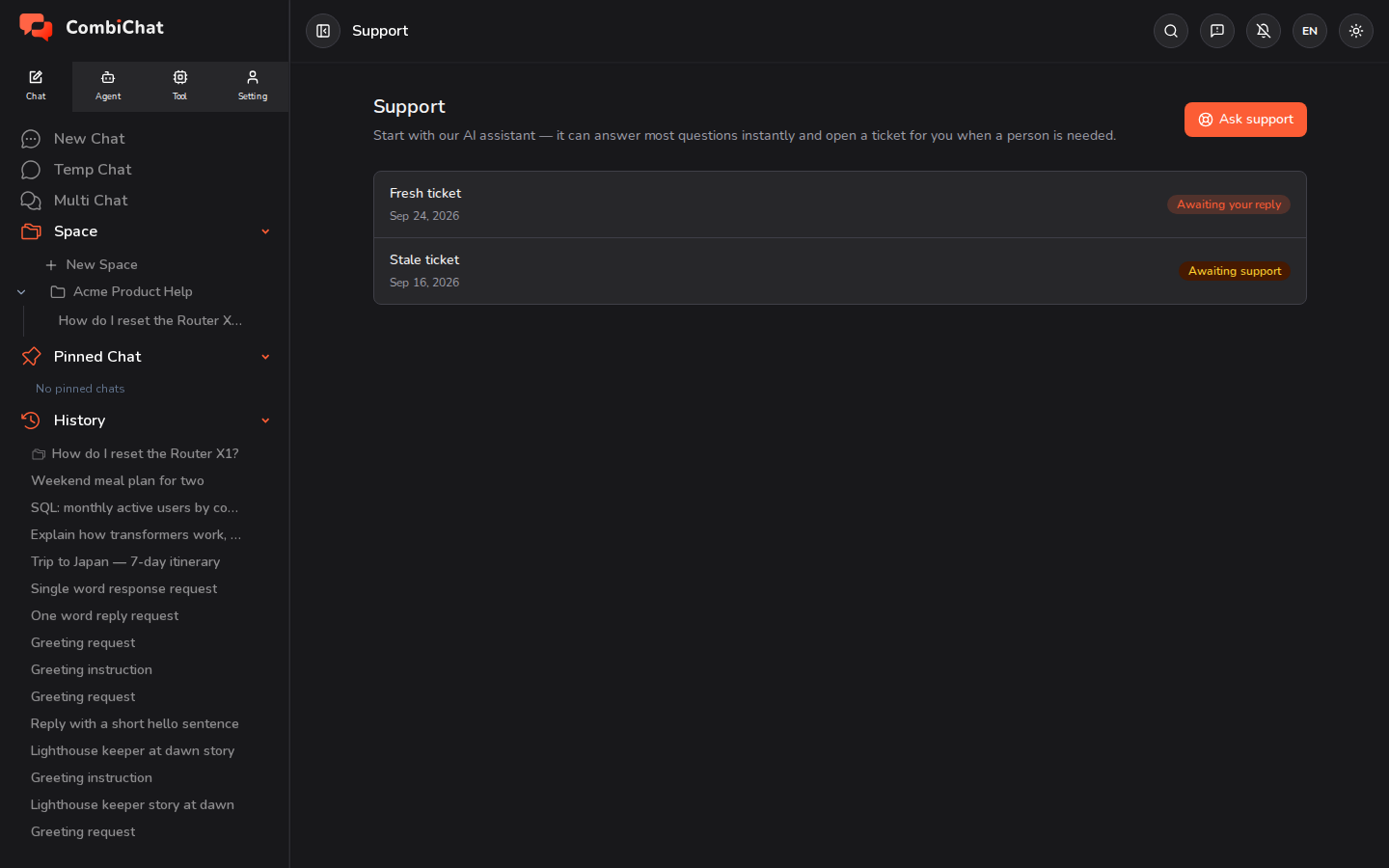
- Ask support starts with our AI assistant — it can answer most questions instantly. If it can't solve your problem, it will open a support ticket for you and hand it to our team.
- Your tickets are listed here with their current status, so you can follow along and see replies. There's no separate "new ticket" form — tickets are created through the assistant, so you always start by just asking your question.
Feedback
Use the Feedback button in the top bar on every page to tell us what's on your mind. Pick what you're sending:
- Issue — something's wrong: a bad or broken answer, a glitch, or anything that doesn't look right.
- Suggestion — an idea for making the product better.
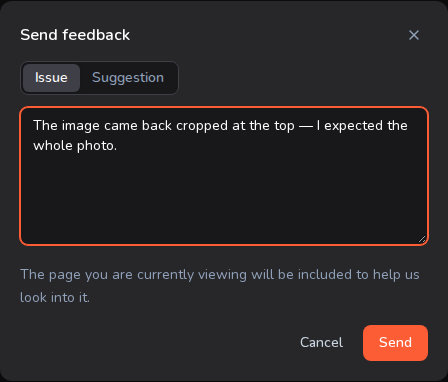
- Describe what happened and what you expected for an issue, or what would make things better for a suggestion, and send.
- You can also flag a specific AI reply from that reply's own Report issue button. That report can include a copy of the conversation so we can see exactly what happened — you'll be asked to agree before any conversation is attached, so you're always in control of what you share.
- A suggestion is general feedback, so it never attaches a conversation.
Which should I use?
| Use Support when… | Use Feedback when… |
|---|---|
| You have a question or need help | Something was wrong or broken, or you have an idea |
| You want to follow up in a ticket | You want to flag a bug or suggest an improvement |
| You need a person to assist | You want to attach the exact conversation |